Limited-time offer: save up to 30% on subscriptions

Upgrade Now

Nano Banana 2 Model Guide & Image Examples

Model guide & tool preview. The descriptions and examples on this page do not mean this model or tool is available here. The current Banana 2.1 studio uses Nano Banana 2.1 Pro for text-to-image generation. Reference editing, additional models and dedicated photo tools are coming soon. Open the current image studio →

Nano Banana 2 is a powerful AI image generation and editing model built for text-to-image, image-to-image, natural language editing, Google Search semantic retrieval, ultra-wide and vertical compositions, and high-resolution visual output. It is ideal for product shots, ad creatives, marketing visuals, infographics, and social media content.

Generate AI Images Online with Nano Banana 2

Explore Nano Banana 2 capabilities and example workflows. This model is not yet available for generation in Banana 2.1. The current studio uses Nano Banana 2.1 Pro for text-to-image generation; reference editing and additional models are coming soon.

Core Nano Banana 2 Features

Nano Banana 2 is designed for advanced AI image generation and editing, with support for semantic retrieval, multi-reference consistency, flexible aspect ratios, high-resolution output, and precise text-and-layout rendering.

Explore Nano Banana 2 for AI Image Generation and Editing

See how Nano Banana 2 performs across advanced image generation, creative editing, and commercial visual production.

01

Real-Time Information Visualization

Nano Banana 2 can use Google Search semantic retrieval to turn current information into clear infographics, flowcharts, and educational visuals.

Sample Prompt

Generate an educational infographic about the water cycle, including evaporation, condensation, precipitation, runoff, and groundwater flow. Use clear arrows and readable labels for classroom use.

Start Creating
02

Ultra-Wide Canvas Composition

Nano Banana 2 can turn one creative idea into AI ad assets across multiple aspect ratios, including 1:8, 8:1, 1:4, and 4:1. Use it for banner ads, vertical posters, and social media covers while keeping the subject, colors, and brand style consistent.

Generate Now
03

Multi-Reference Image Editing

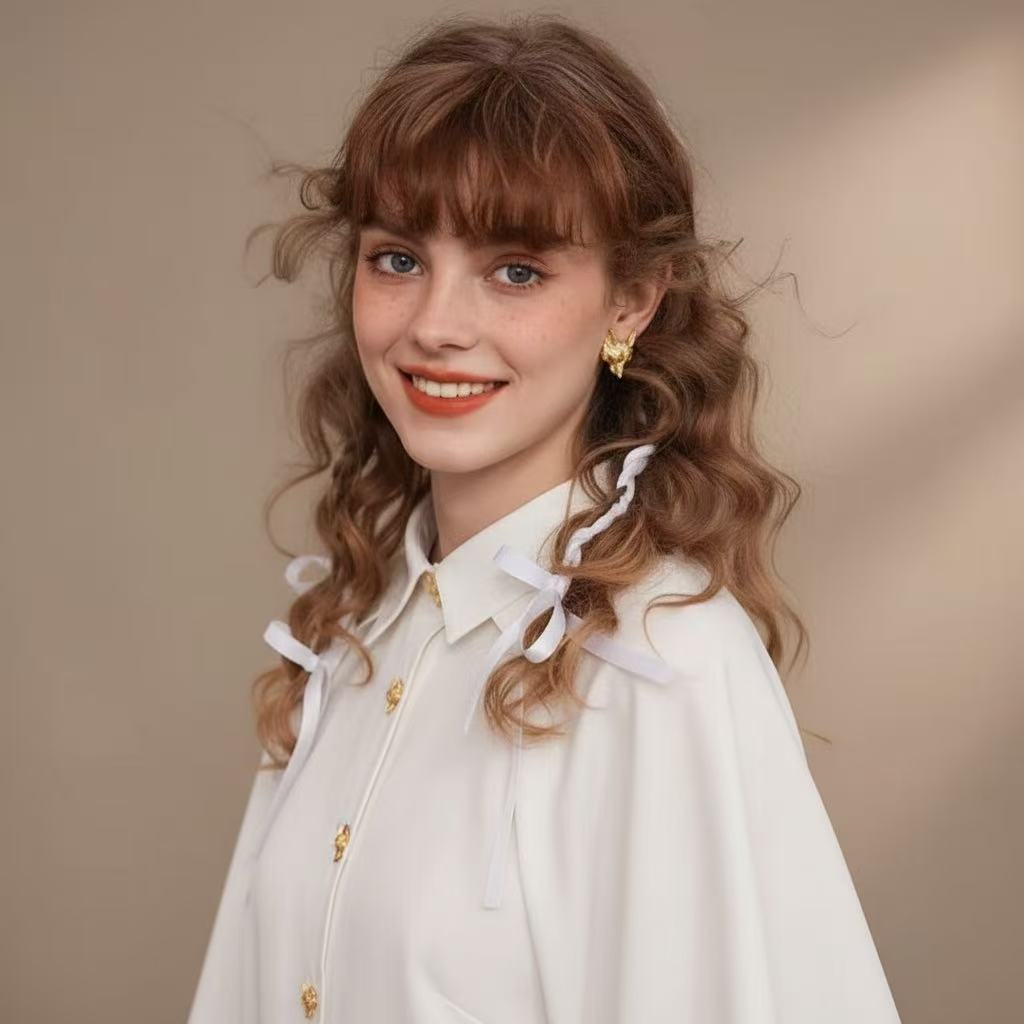
Nano Banana 2 can combine multiple reference images to generate and edit AI visuals while keeping facial features, product details, clothing style, and scene atmosphere consistent in one image.

Sample Prompt

Use the uploaded reference images to preserve the subject’s facial features, outfit style, and background mood, then generate a natural, cohesive commercial portrait poster.

Create Image-to-Image AI
04

High-Resolution Image Output

Nano Banana 2 can generate high-resolution AI images with stronger product texture, sharper details, realistic materials, and clearer text for e-commerce product shots, ad posters, and commercial visuals.

Sample Prompt

Generate a premium skincare product image in a high-end commercial photography style. Make the bottle text clear and readable, the material details realistic, and the background clean and refined.

Generate AI Images
05

Text and Layout Output

Nano Banana 2 can generate AI posters, ad creatives, and infographics with clearer text and more stable layouts, making it suitable for headlines, selling points, CTAs, and multilingual marketing designs.

Sample Prompt

Generate a product launch poster for the latest iPhone, including a bold headline, product close-up, three key selling points, and a bottom CTA. Make the text readable, the layout premium, and the hierarchy clear.

Explore More
06

Complex Prompt Reasoning

Nano Banana 2 better understands detailed prompts and multi-step creative instructions, improving subject placement, spatial composition, detail quality, and visual logic in AI image generation.

Sample Prompt

Generate a futuristic fashion portrait from a low-angle view. The subject stands centered in the frame, wearing a blue-and-pink techwear outfit. Keep the background clean, lighting natural, and the pose, proportions, and spatial relationships accurate.

Learn More

How to Use Nano Banana 2

Follow these simple steps to generate, edit, and refine high-quality AI images online with Nano Banana 2.

Choose Nano Banana 2

Open the AI image generator and switch the model selection to Nano Banana 2.

Enter a Prompt or Upload Reference Images

Describe your subject, character, product, and visual style, or upload reference images for image-to-image creation.

Set Your Options and Generate

Choose the aspect ratio, resolution, and generation style, then create high-resolution AI images in seconds.

Nano Banana 2 Video Reviews and Tutorials

Watch selected YouTube reviews, feature walkthroughs, AI image generation demos, and practical Nano Banana 2 tutorials.

Nano Banana 2 Creator Feedback on X (Twitter)

See how creators on X (Twitter) share their Nano Banana 2 experiences, AI image examples, and real-world feedback.

Nano Banana 2 Discussions on Reddit

Explore Reddit conversations about Nano Banana 2, including hands-on tests, generation results, creative tips, and common questions.

Nano Banana 2 FAQ

Learn how Nano Banana 2 works, what it can do for AI image generation and editing, and how to get better creative results.

Nano Banana 2 is the next-generation AI image generation and editing model in the Nano Banana series. Upgraded from the original Nano Banana, it supports reference image editing, flexible aspect ratios, and high-resolution output for product images, ad creatives, and infographics.

Ready to Generate AI Images with Nano Banana 2?

Ella Grace
Nora Belle
Ruby Claire
Jack Mason
Luke Alexander

Explore image ideas and examples