Saved prompt text
The collected text is preserved as saved. It may be an excerpt; check the linked post for the creator’s full context.
Use the uploaded product image as the single source of truth.

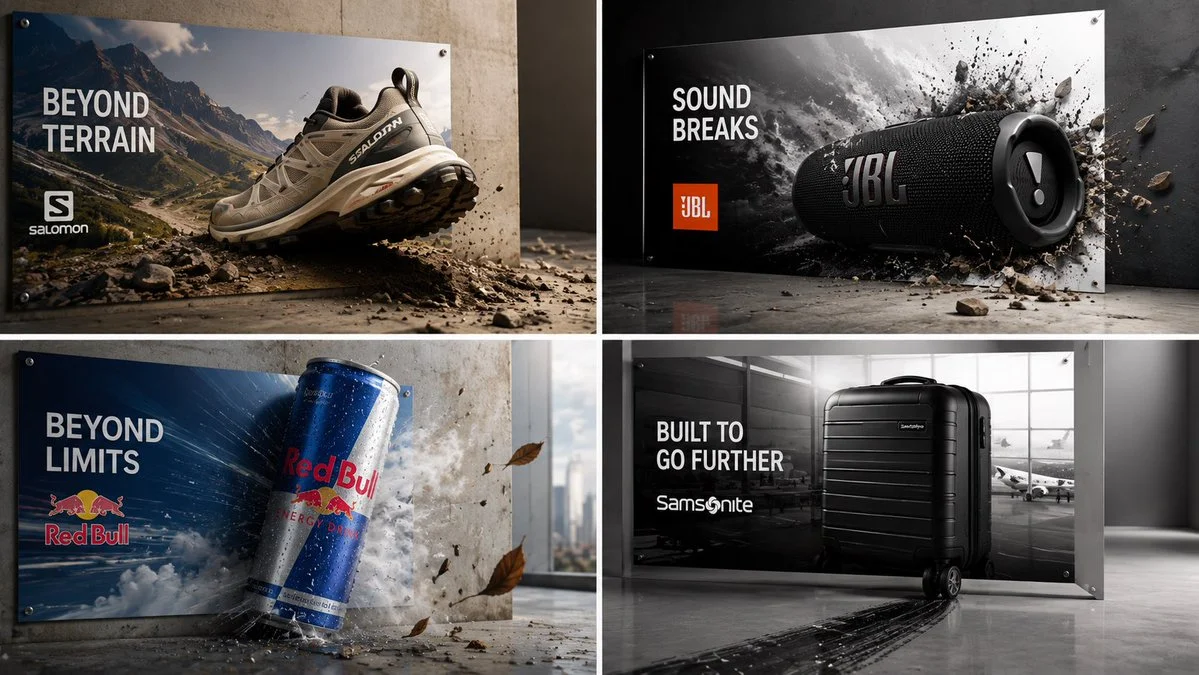
Create one premium 16:9 campaign image where the product appears inside a physical ad surface such as a poster, framed print, billboard, lightbox, screen, or magazine page, and one meaningful part of the same product breaks beyond that boundary into real space.

The boundary break must prove the product’s real benefit. The product stays fully accurate and unchanged. There is only one product, and the inside/outside portions must connect perfectly.

Choose the strongest benefit, one clear boundary, one escaping feature, and one real-world interaction. Make the viewer instantly understand where the flat ad ends and real space begins.

Preserve the product exactly: shape, proportions, logo, packaging, typography, colors, materials, textures, and all visible details. Do not redesign, recolor, distort, duplicate, or invent features.

Create a clean, high-end editorial composition with bold framing, refined negative space, cinematic lighting, accurate perspective, realistic contact shadows, tactile materials, and strong depth.

Add the authentic brand logo naturally and one original two-word headline matching the brand tone.

Output one visually striking standalone image only.

16:9. No grid, no collage, no split screen, no miniature world, no duplicated product, no fantasy portal, no random tearing, no unrelated props, and no random text.
Before you create
Add your own reference image in the editor before generating.
This workflow needs a reference-capable editor. Reference-image editing is coming soon in Banana 2.1; copying or preparing this prompt does not enable uploads or editing.
Creator & source
AZIZ | AI 🇸🇦 · @aziz4ai
Read the original post ↗